
Inventory
Know what you have.Know when you are running low.Before service suffers.
Intelura Inventory keeps stock levels visible, low-stock alerts automatic, and purchase orders organised - so your kitchen never runs out mid-service. Included in Growth and Premium. No MarketMan subscription needed.
Inventory Management
Track stock levels, manage suppliers, and monitor inventory value
Total Items
482
Across12categories
Low Stock
24
Action needed
Out of Stock
7
Critical
Inventory Value
GBP 12,842.50
Current value
Item NameSKUCategoryCurrent StockReorder LevelTagStatusActions
Premium Arabica Coffee Beans
Supplier: Daily stock
45kg
Organic Whole Milk
Supplier: Daily stock
8Liters
Biodegradable Takeaway Boxes
Supplier: Daily stock
0Units
Sparkling Mineral Water
Supplier: Daily stock
124Units
Whole Wheat Flour
Supplier: Daily stock
12kg
Stock levels updating live
Why Inventory?
Track every adjustment and delivery
Connect menu sales to ingredient usage
Core Capabilities
Stock Visibility
Stock dashboard
Every ingredient and stock item listed with current quantity, unit, minimum threshold, and low-stock status.
Items highlighted automatically when they fall below threshold.
Low-stock alerts
Automatic push notification to manager when any item falls below its configured minimum.
No daily manual stock check required.
482
24
7
24
MilkLOW
FlourLOW
BoxesLOW
Inventory status
LiveStock items482
Low stock24
Stock Movement
Stock adjustments
Log any stock change with a reason code and timestamp - wastage, breakage, theft, delivery received, correction.
Every adjustment tracked for audit.
Barcode scanning
Use your phone camera to scan barcodes and identify stock items during goods-in or stock take.
No barcode scanner hardware needed.
Wastage
Delivery
Theft
Correction
Audit trail
LiveAdjustmentsTracked
ScanningPhone camera
Purchasing & Suppliers
Purchase orders
Raise purchase orders to any configured supplier directly from the Inventory screen.
Track order status from placed through to received.
Supplier management
Maintain a supplier list with contact details, lead times, and product lines.
Attach suppliers to stock items for one-tap purchase order creation.
Placed
Sent
Received
A
D
E
G
Supply control
LiveOpen orders07
SuppliersLinked
Costing & Stock Take
Beef-
Bun-
Cheese-
Link ingredients to menu items.
When an item is sold through the POS, the relevant ingredient quantities are automatically reduced - keeping inventory accurate in real time.
Run a full stock take from any device.
Count items, confirm quantities, and the system calculates variance between expected and actual stock automatically.
Less guesswork. Better stock control.
See how clearer stock visibility helps kitchen teams prepare, purchase, and adjust with confidence.
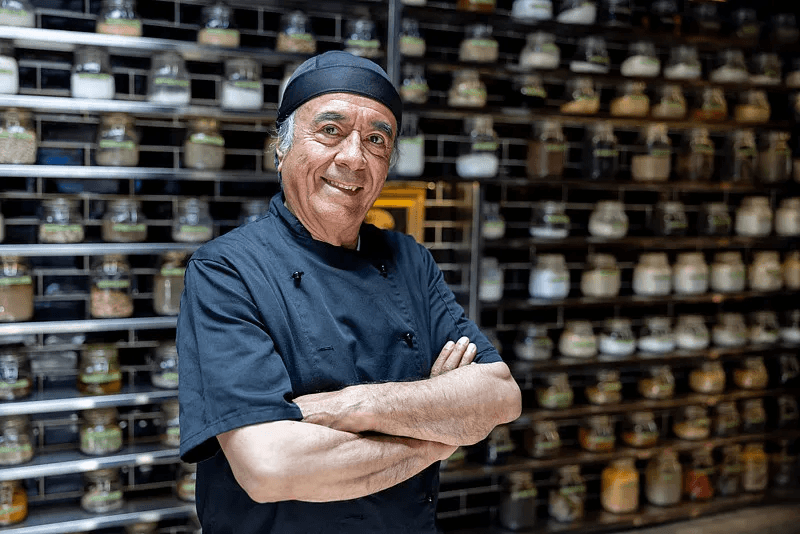
“We can see what is running low before service starts, record adjustments properly, and plan the next order without relying on notes or memory.”
Kitchen manager
Independent restaurant
From every sale to every stock count.
Connect menu items, sales, purchasing, and reporting around one live inventory workflow.
Operations
Menu Management
Link ingredients and recipes to the menu items they support.
Explore featureOperations
Inventory
Monitor stock, alerts, adjustments, suppliers, and purchase orders.
Current featureInventory questions, answered
Clear answers on stock alerts, automatic ingredient usage, adjustments, purchasing, and stock takes.
Set a minimum threshold for each stock item. When the recorded quantity falls below that level, Intelura highlights the item and can notify a manager automatically.
Yes. When ingredients are linked to a menu item through recipe costing, a completed POS sale reduces the relevant ingredient quantities automatically.
Yes. Stock adjustments include a reason and timestamp, helping you keep a clear audit trail for wastage, breakage, theft, received deliveries, and corrections.
Yes. Maintain supplier details, attach suppliers to stock items, raise purchase orders from Inventory, and track each order from placement through to receipt.
Yes. Run a stock take from a phone or other connected device, enter confirmed quantities, review variance, and use the phone camera for barcode scanning where helpful.
See it in action
Book a demo and seeevery feature working live
Walk through ordering, kitchen operations, table management, delivery aggregation, inventory, loyalty, and analytics in a 30-minute live session built around your venue type.
No credit card required · No hardware needed · No Intelura platform fees on transactions